Multiple Pages per Sheet PDF
Multiple pages per sheet PDF: put 2 or 4 pages on one sheet, free.
Make a multiple pages per sheet PDF: fit several pages onto one sheet. Choose two or four pages per sheet, decide how much space to leave and whether each page gets a line around it, then download the new file. Useful for handouts, for proofreading, and for printing a long document on less paper.
- Free, no sign-up
- Files never leave your device
- Up to 100 MB per file
Drop a PDF file here
or
Up to 100 MB per file. Your files stay on your device.
Your file stays on your device. Nothing is uploaded.
What next
- Print one sheet first and check the smallest text is still readable before printing the whole file.
- For handouts, turn on double-sided printing as well and halve the paper again.
Step-by-step guide: How Many Slides per Page to Print for Revision (and Use Less Ink)
How to put 2 or 4 pages on one sheet
- 1
Click “Choose a PDF file” or drag your PDF into the box.
- 2
Pick two or four pages per sheet, and the sheet size.
- 3
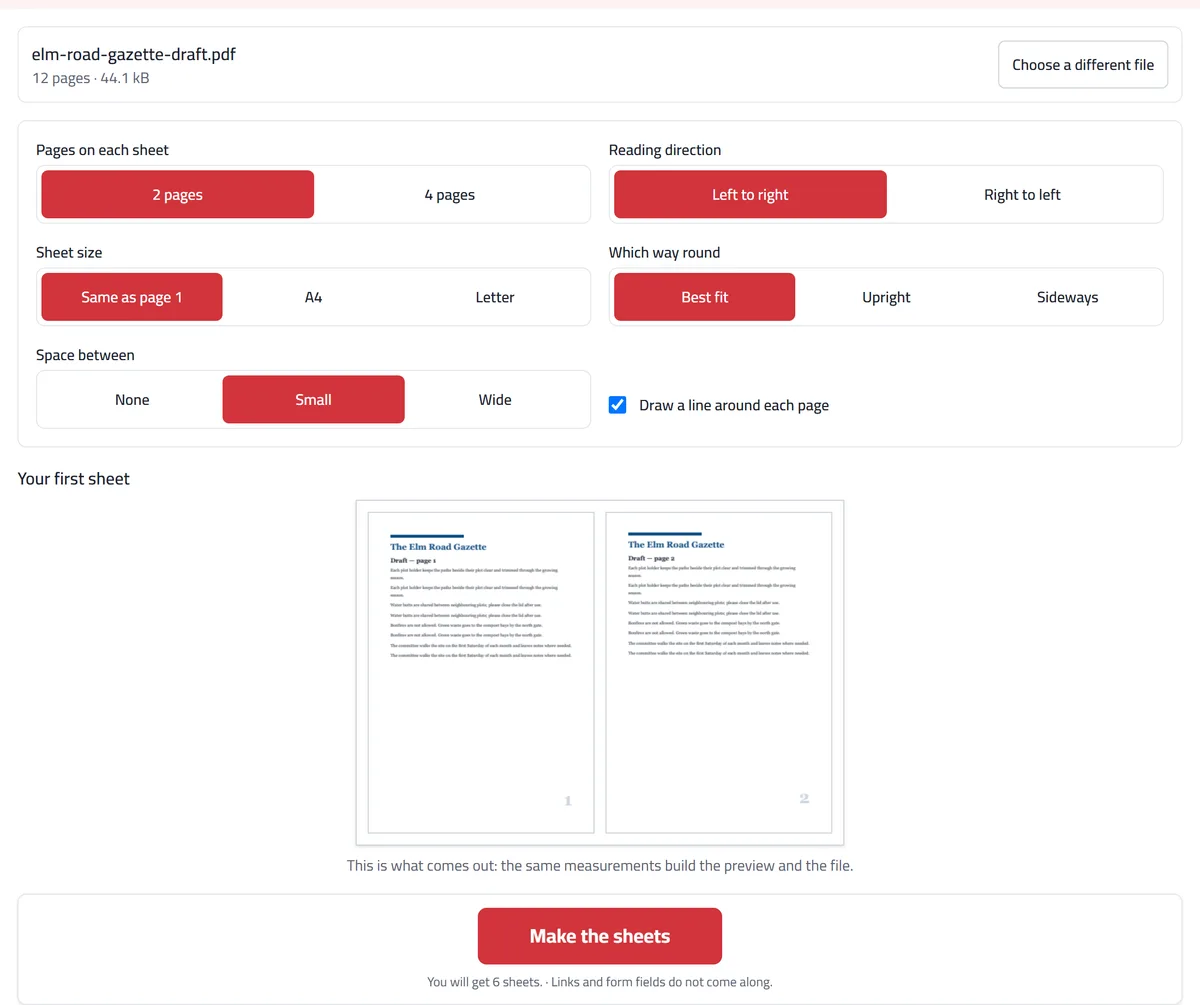
Check the preview: it is drawn with the same measurements as the file.
- 4
Press “Make the sheets”, then download your file.
What the tool does with your pages
Each page is shrunk to fit its box on the sheet and centred there, so nothing is cropped and no page is stretched. The pages are placed as drawings of the original, which keeps the text as real text: it stays sharp when you zoom and can still be searched and selected. A page that was rotated in the original is turned the right way as it goes onto the sheet, and pages of different sizes are each fitted to their own box.
The space you pick (none, about 6 mm or about 19 mm) is used both around the edge of the sheet and between the pages. The preview of your first sheet is drawn with the same measurements as the file, and everything runs in your browser, so the file never leaves your device.
Example: proofreading a 12-page draft on paper
Our invented example is a 12-page draft of a local newsletter that needs one last read on paper before it goes out. Printed as it is, that is 12 sheets. With the default settings (two pages per sheet, best fit, small space, a line around each page) the preview shows pages 1 and 2 side by side on a sideways A4 sheet, and the tool promises 6 sheets.
At two to a sheet the body text prints at about two thirds of its size, which is still comfortable to read with a pen in hand. Seeing pages side by side also shows layout slips that are easy to miss one page at a time, such as a heading left alone at the bottom of a page.
When you would use it
Proofreading a long report or newsletter draft on paper, two pages side by side, at half the paper.
Turning a four-page event programme or checklist into a single sheet that folds into a pocket.
Sending a print shop a file with the layout already in it, so every copy comes out two or four to a sheet without anyone touching the printer settings.
What to expect
Everything shrinks: two pages to a sheet means each is about two thirds of its size, and small print gets hard to read. Four to a sheet suits slides far better than dense text.
Only two or four pages go on a sheet. For lecture slides, Print lecture slides also does six to a sheet, turns dark slides light to save ink, and can add lines for notes (our guide gives printed text sizes for each choice).
It does not make a folded booklet, where the pages have to be reordered so they read in sequence once the stack is folded.
Pages of different sizes are each fitted into their own cell, so a mixed file comes out uneven. Level it first with Resize pages.
Arabic documents are laid out from the right, so the reading order across the sheet comes out correct.
This writes a new PDF with the layout fixed in it. For a one-off print, your printer’s own "2 pages per sheet" setting does the same without changing the file.
Frequently asked questions
Is making a 2 pages per sheet PDF free?
Yes. No sign-up, no daily limit, and no watermark on your file.
Is my file uploaded?
No. The sheets are built inside your browser, on your device. Your PDF is never sent to us or anyone else.
Does the text stay sharp?
Yes. Each page is placed as a real page rather than turned into a picture, so the text stays text: sharp at any zoom, and still searchable and selectable.
Does it make the file smaller?
No, and a typed document usually gets bigger. Each page brings its own copy of the fonts it uses, so our 12-page text draft grew from 44 KB to 381 KB. A scan grows far less, because each scanned page already carries its own picture. This tool saves paper, not megabytes, so check the size before you email the result.
How small does the text get with 2 or 4 pages per sheet?
On A4 with the small space between pages, two to a sheet prints each A4 page at about 66% of its size, so 10 pt text comes out near 6.6 pt. Four to a sheet prints at about 45%, so 10 pt becomes about 4.5 pt, which most people find too small for dense text. Choosing no space between pages gains a little: two to a sheet then prints at about 71%.
Which way round should the sheet be?
Start with “Best fit”. It picks whichever way round makes the pages bigger, judged from page 1: for upright A4 pages, a sideways sheet for two and an upright sheet for four. Every sheet then has the same size, so a printed stack lines up.
Can I print the sheets double-sided as well?
Yes, and the savings add up: 12 pages become 6 sheets, which double-sided is 3 pieces of paper. Sideways sheets (two pages each) usually need “Flip on short edge” in the print dialog, or every back comes out upside down.
What does n-up mean?
It is the printing trade’s name for several pages on one sheet: 2-up is two pages, 4-up is four. This tool makes 2-up and 4-up PDFs.
Does it work with Arabic documents?
Yes, and it knows which way you read. Set the direction to right to left and page 1 goes in the top-right box, page 2 to its left, which is how an Arabic handout is read.
What happens to the last sheet if the pages do not divide evenly?
The pages that are left simply fill the first boxes and the rest of the sheet stays empty. Nothing is dropped.
Do links and form fields still work?
No. Only what is drawn on the page comes along, so links stop being clickable and empty form fields disappear. If a form has been filled in, flatten it first so the answers become part of the page.
Why does my printer still leave big margins?
Most print dialogs shrink the page to fit by default, which adds margins on top of yours. Choose “Actual size” or 100% instead.
Why can’t I open my password-protected PDF?
Protected files are encrypted, so their pages can’t be read. Remove the password first, then open the file again.